
Messages for Wear OS (Android Wear)1.0.210304 - Get APK
You'll be able to download in few seconds.
Publisher Description
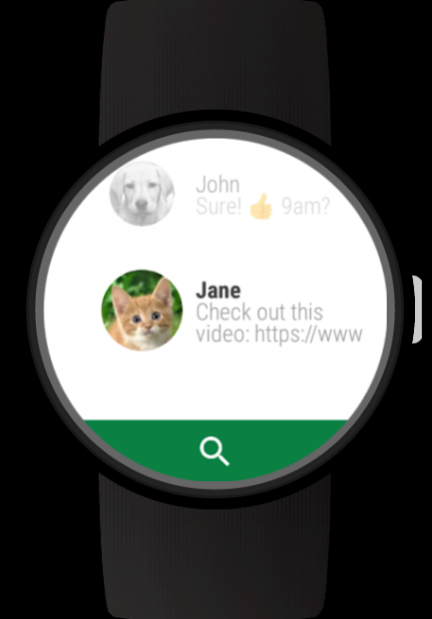
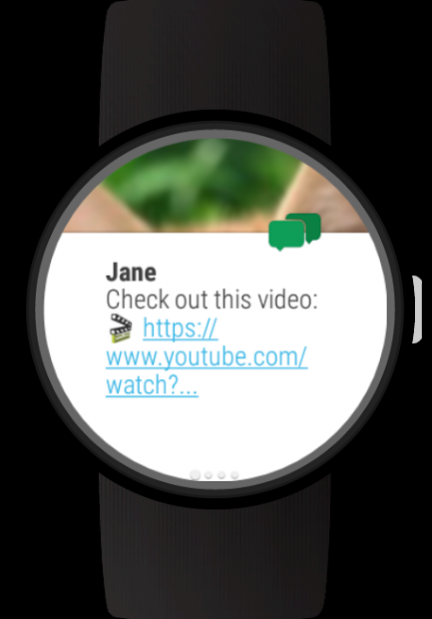


Requirements: Wear OS (former Android Wear) Smartwatch and Android companion device.
This app will not work with an iPhone but requires an Android companion device.
Use this messenger to quickly reply to SMS, Hangouts, WhatsApp, Facebook and other Messenger conversations on your Android Wear smartwatch. Write messages with text predictions and emojis, configurable pre-defined texts or voice input. Open web and YouTube links directly on your watch. Customize vibration patterns.
Features:
- Conversation view
- View photos received as multimedia messages
- Send photos as multimedia messages with our Photos app
- Keyboard app integration, e.g. https://play.google.com/store/apps/details?id=com.appfour.wearkeyboard
- Always-on support to keep the current conversation open
- SMS conversation support
- Hangout conversation support
- Reply to WhatsApp messages on your watch (requires the WhatsApp app to be installed)
- Reply to Facebook messages on your watch (requires the Facebook Messenger app to be installed)
- Reply to Slack, Viber, Threema, Telegram, Line and Kakao Talk (requires the official apps to be installed)
- Contacts
- Rich message view with hyperlinks
- Open web links and YouTube video links with our Web Browser and YouTube wear apps
- Easy setup with single-click sign in
To customize vibration patterns and sound (full version only):
- Choose "Notification Settings" on new message cards or long press on a conversation
- Define a conversation specific vibration pattern or sound, or define a pattern and sound for all messages
- Choose a pre-defined pattern or record your own pattern
Features of the full version only:
- Configurable signature
- Configurable message size per conversation
- Configurable card style
- Configurable vibrate feedback
- Configurable pre-defined texts
- Option to sync phone notifications and cards
- Custom vibration patterns
- Custom notification sound
The Wear Messages app is compatible with all Wear OS smart watches.
e.g.
- Sony SmartWatch 3
- Motorola Moto 360
- Fossil Q (Explorist, Marshal, Founder, Venture, Wander, ...)
- Ticwatch (E, S)
- Michael Kors (Bradshaw, Sophie, ...)
- Huawei Watch (2, Leo-BX9, Leo-DLXX, ...)
- LG Watch (Urbane, Sport, R, Style, …)
- ASUS ZenWatch (1, 2, 3)
- Samsung Gear Live
- TAG Heuer
...and many more
If your watch is not listed, please check if your Smartwatch runs Wear OS (former Android Wear).
About Messages for Wear OS (Android Wear)
The company that develops Messages for Wear OS (Android Wear) is appfour. The latest version released by its developer is 1.0.210304.
To install Messages for Wear OS (Android Wear) on your Android device, just click the green Continue To App button above to start the installation process. The app is listed on our website since 2021-03-04 and was downloaded 0 times. We have already checked if the download link is safe, however for your own protection we recommend that you scan the downloaded app with your antivirus. Your antivirus may detect the Messages for Wear OS (Android Wear) as malware as malware if the download link to com.appfour.wearmessages is broken.
How to install Messages for Wear OS (Android Wear) on your Android device:
- Click on the Continue To App button on our website. This will redirect you to Google Play.
- Once the Messages for Wear OS (Android Wear) is shown in the Google Play listing of your Android device, you can start its download and installation. Tap on the Install button located below the search bar and to the right of the app icon.
- A pop-up window with the permissions required by Messages for Wear OS (Android Wear) will be shown. Click on Accept to continue the process.
- Messages for Wear OS (Android Wear) will be downloaded onto your device, displaying a progress. Once the download completes, the installation will start and you'll get a notification after the installation is finished.
Program Details
System requirements
Download information
Pricing
Version History
version 1.0.210304
posted on 2021-03-04
New: Updated to latest Android version
Older changes
New: Wear OS dark theme
New: Support for VK messenger
New: Swipe down to refresh conversations
New: WhatsApp video support
New: Do not vibrate on muted conversations
New: Settings activity on watch
version
posted on 2018-03-01
Fixed: Viber messenger
Older changes
New: Support for VK messenger
New: Swipe down to refresh conversations
Fixed: Missing notifications
New: WhatsApp video support
New: Do not vibrate on muted conversations
New: Settings activity on watch
version
posted on 2016-12-21
New: Option to show newest message first,New: View received WhatsApp photos,Older changes,Improved: WhatsApp group messages,New: Call SMS sender,New: Hide conversations with long press,New: Delete messages with long press,New: Support for WhatsApp, Facebook, Slack, Viber, Threema, Telegram, Line, Hike and Kakao Talk,New: Material user interface with action bar,New: View multimedia messages,New: Send photos as multimedia messages,New: 3rd party keyboards Api: TouchOne, FlickKey
Disclaimer
External Download
We do not host Messages for Wear OS (Android Wear) on our servers. We did not scan it for viruses, adware, spyware or other type of malware. This app is hosted by Galad and passed their terms and conditions to be listed there. We recommend caution when installing it.
The APK Download link for Messages for Wear OS (Android Wear) is provided to you by apps112.com without any warranties, representations or guarantees of any kind, so access it at your own risk.
If you have questions regarding this particular app contact the publisher directly. For questions about the functionalities of apps112.com contact us.
